Quick Ways to Convert JPG to HUS Embroidery Files Online
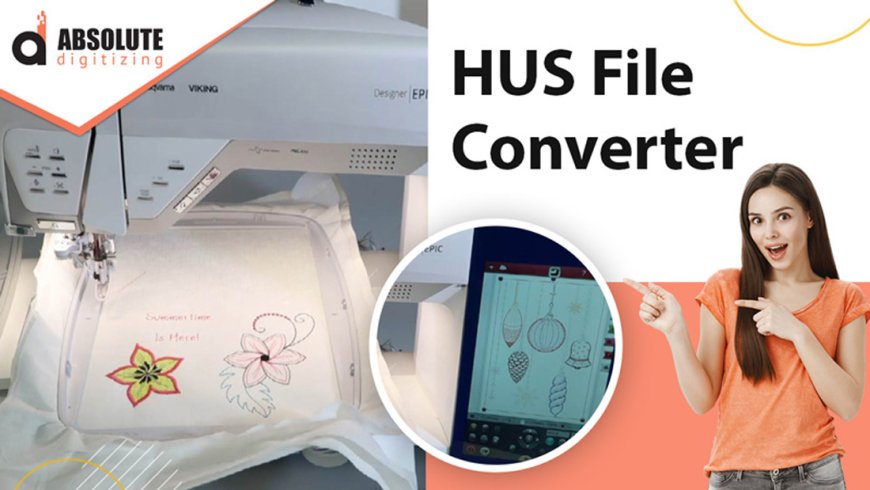
If you've ever wanted to turn a JPG image into an embroidery design, you know its not as simple as just uploading and hitting "convert." Embroidery machines require specialized file formats likeHUS(used by Husqvarna Viking machines) to stitch designs accurately. While professional digitizing is the best way to ensure quality, there are quick online methods to convert JPG to HUS embroidery filessome free, some paid.
In this guide, well explore the fastest ways to convert your images into HUS embroidery files online, the pros and cons of each method, and tips to get the best results.
Why Convert JPG to HUS?
Before jumping into the conversion process, it helps to understand why HUS files matter. Unlike JPGs, which are just pixel-based images, HUS files contain stitch datathread paths, stitch types, and machine instructions. Without this, an embroidery machine wont know how to recreate your design.
Converting manually requires digitizing expertise, but online tools simplify the process by automating (or semi-automating) the conversion. However, results vary, so knowing which methods work best can save you time and frustration.
Method 1: Use Online Auto-Digitizing Tools
Several websites offer instant JPG-to-HUS conversion using AI or basic digitizing algorithms. These are the quickest options but often lack precision.
Top Online Converters:
- EmbroideryConversion.com A simple upload-and-download tool that generates HUS files in minutes. Best for simple designs with minimal detail.
- StitchBuddy Online A free converter that supports multiple formats, including HUS. Works well for basic logos.
- MyApparelPal Offers both free and premium conversions with slight manual adjustments.
Pros:
? Instant results
? No software installation needed
? Free or low-cost
Cons:
? Poor stitch quality for complex designs
? Limited customization (stitch types, underlay, density)
? May require manual cleanup in embroidery software
Best for:Quick, simple designs like text or basic shapes.
Method 2: Use Cloud-Based Digitizing Services
If auto-digitizing tools dont give you clean results, cloud-based digitizing services offer a middle ground between DIY and professional digitizing. You upload your JPG, a human digitizer processes it, and you receive a high-quality HUS file within hours.
Top Services:
- Digitizing Buddy Fast turnaround (as quick as 2 hours) with expert digitizing.
- Absolute Digitizing Affordable and includes free revisions.
- SewWhat Pro Specializes in custom embroidery files with precise stitch control.
Pros:
? Better quality than auto-digitizing
? Adjustments for fabric type (hats, shirts, etc.)
? Scalable for bulk orders
Cons:
? Slightly longer wait time (a few hours to a day)
? Costs more than free tools (typically $10-$30 per design)
Best for:Businesses or hobbyists who need reliable HUS files without hiring a full-service digitizer.
Method 3: Use Embroidery Software with Online Support
Some embroidery software programs offer online conversion features, giving you more control than basic web tools.
Best Options:
- Wilcom Hatch (Free Trial Available) Industry-leading software with auto-digitizing functions.
- SewArt by S&S Computing Budget-friendly digitizing software with decent auto-conversion.
- Embrilliance Essentials User-friendly for beginners with cloud-based processing.
How It Works:
- Upload your JPG to the software.
- Adjust settings (stitch density, underlay, pull compensation).
- Export as HUS.
Pros:
? More customization than online converters
? Better stitch accuracy
? Can save settings for future projects
Cons:
? Steeper learning curve
? Some programs are expensive (Wilcom costs $1,000+)
Best for:Those willing to learn basic digitizing for better long-term results.
Method 4: Hire a Freelance Digitizer (Fastest Professional Option)
If you need a high-quality HUS file ASAP, freelance digitizers on platforms likeFiverrorUpworkcan convert your JPG in under 24 hours.
Top Picks:
- Fiverr Pro Embroidery Digitizers Many offer 12-hour delivery.
- Upwork Freelancers Filter by "embroidery digitizing" for specialists.
Pros:
? Highest-quality conversion
? Custom adjustments (3D puff, appliqu, etc.)
? Fast delivery
Cons:
? More expensive ($15-$50 per design)
? Need to vet freelancers for quality
Best for:Detailed logos, intricate designs, or commercial use.
Tips for the Best JPG-to-HUS Conversion
No matter which method you choose, follow these tips for better results:
- Use High-Contrast Images Simple, bold designs convert better than photos or gradients.
- Remove Backgrounds First Use a tool like Remove.bg to clean up the JPG before converting.
- Check Stitch Density Too many stitches can cause fabric puckering.
- Test Stitch on Scrap Fabric Always check how the HUS file looks before embroidering the final product.
Final Verdict: Whats the Best Method?
- Need it free & fast?? TryStitchBuddy OnlineorEmbroideryConversion.com.
- Want better quality without DIY?? UseDigitizing BuddyorAbsolute Digitizing.
- Willing to learn software??Wilcom HatchorEmbrilliance Essentialsare great.
- Need pro-level results ASAP?? Hire aFiverr digitizer.
Converting JPG to HUS doesnt have to be complicated. With the right tools and services, you can get embroidery-ready files in minutes or hourswithout needing years of digitizing experience.
Got a design ready? Pick a method and start stitching! ?