Macard N300 Not Responding? Step-by-Step Access Fix
Macard N300 not responding? Follow this guide to regain access, fix setup issues, and get your WiFi extender working again in minutes.


N300 model of Macard WiFi range extender is one of the popular signal boosters in the world. It is simple to install and easy to configure through the online web-based interface. But for a few times, Macard N300 not responding issues can trouble you with the internet and WiFi connectivity. Here we will help you to resolve it easily with the help of expert tips and solutions.
How to Resolve Macard N300 Not Responding?
Below are the major Macard extender troubleshooting tips and solutions which will help you to resolve the mentioned problem:
Unplug and Plug It Again
Unplug the extender. Wait like 30 seconds. Plug it back in.
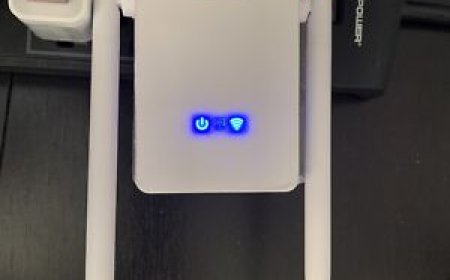
Let it boot up fully give it a full 2 minutes, not 30 seconds, wait. You should see the power LED stabilize, then maybe some blinking on the WiFi LED.
Still nothing? Move to the next step.
Connect Directly to the Extenders WiFi
Now grab your phone or laptop and look for a network that says something like MACARD_EXT or Macard_2.4G_EXT.
-
In the case of not seeing anything? Go straight to the reset part below.
-
But if you DO see it, connect to it. Dont worry about internet, just connect.
-
When you are connected, open up your browser and type this in: http://192.168.10.1
-
NOT Google. Not YouTube. Type it in the address bar like youre going to a weird old website.
-
If the Macard login page shows up, great. Skip ahead to the Macard N300 setup part.
If it doesnt load at all or says cant reach this site? Onward.
Force Access via Ethernet (If You Can)
Got a laptop with an Ethernet port? Good, if the connection is not linked a USB-to-Ethernet adapter.
-
Connect one end into your laptop, the other into the LAN port on the Macard extender.
-
Now, kill WiFi on your laptop entirelyjust Ethernet connected.
-
Again, punch in: http://192.168.10.1
Still no login page? Time to reset this little gremlin.
Hard Reset the Right Way
-
Find the reset hole. Its tiny, probably near the power plug or LAN port.
-
Grab a paperclip. Hold it for 10-15 seconds. Look at the lights, everything will blink or go off for a second.
-
Now let it reboot againgive it a full 2 minutes.
-
You should now see that MACARD_EXT network again. If yes, connect to it, go back to your browser, and try the login again.
-
Default login info (if it asks):
Username: admin
Password: admin
Redo Setup from Scratch
Once you're in, run through the quick setup.
-
Find a wall outlet halfway between your router and the area with no WiFi siganls. Don't go too far or this thing wont catch the signal properly.
-
Once you plug it in, youll see the power LED blink. Give it like 10-20 seconds. When its solid, that means its ready.
-
Now on your phone or laptop, scan for WiFi networks. Youll see something like: GoMacard_EXT or WiFi-Extender-Setup. Click that. It wont give you internet this is just to connect to the extenders setup portal.
-
Once youre connected to that GoMacard network, open a browser. Type this into the address bar: 192.168.10.1, hit enter to search. If that doesnt load, try: go.macard.online
-
Youll land on a very basic login page. Usually:
Username: admin
Password: admin
-
Youll now see a scan or Repeater Mode option. Click that. Itll search for nearby networks. Pick your home WiFi. Enter your WiFi password.
-
On the next, you can rename the extended network if you want. Like: HomeNetwork_EXT.
-
Or just keep the same name as your main network if you want seamless roaming. Hit Apply or Connect or whatever the final button says.
-
After that, the extender will reboot. Could take 12 minutes. Dont unplug it. Just wait.
If Its STILL Not Working
-
Try a different browser (some old Macards hate Chrome for some reason).
-
Set a static IP address on laptop (192.168.10.100), subnet mask 255.255.255.0, gateway 192.168.10.1.
-
Just check your firewall or antivirus isn't blocking local Ips once.
If youve done all that and it still wont respond it might be toast. Cheap extenders like this die sometimes. Mine worked fine after reset, but Ive seen others just stay brain-dead.
Last Words
Hope this troubleshooting guidance helped you to resolved the common issues like Macard N300 Not Responding.